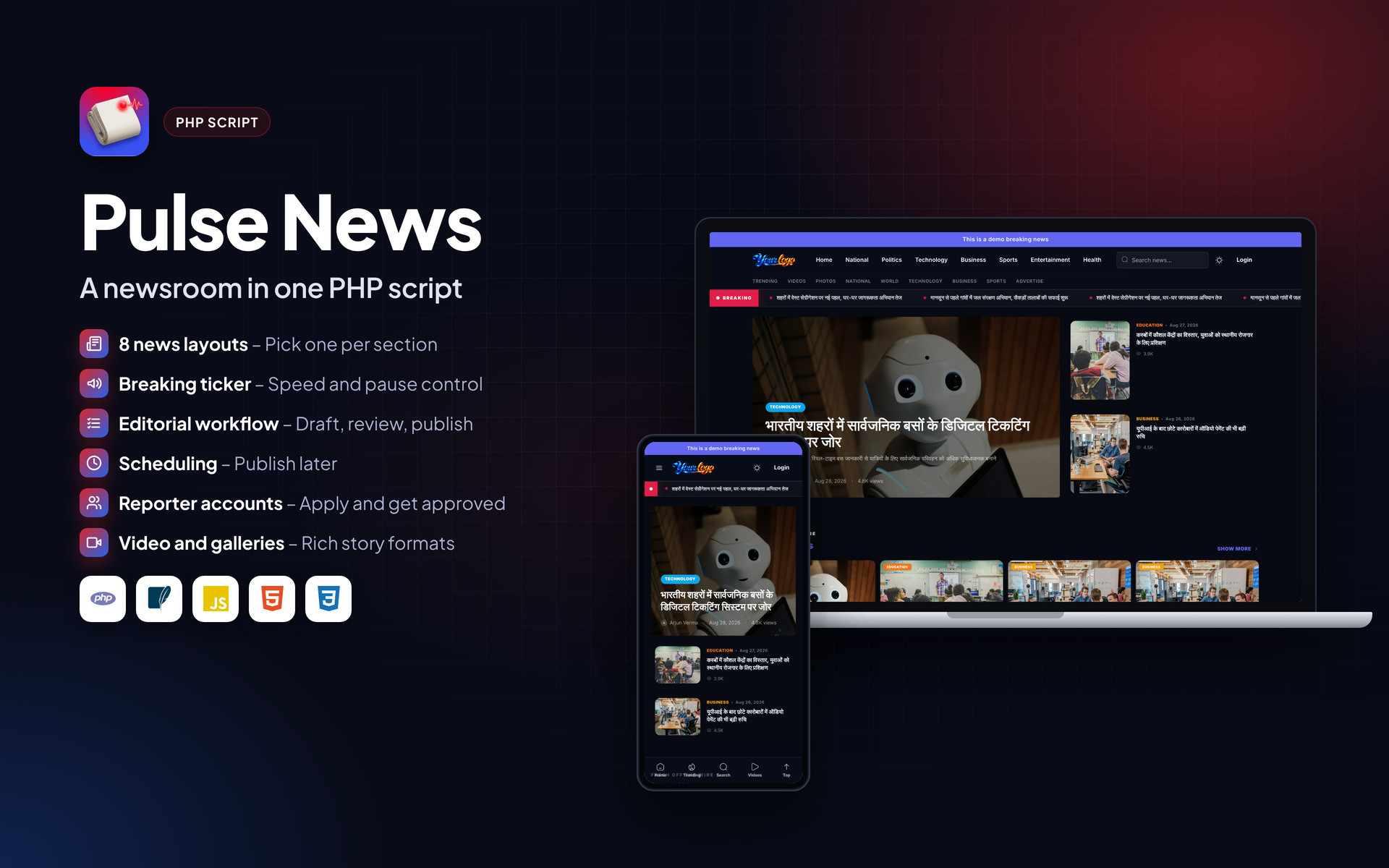
Pulse News – News and Magazine CMS PHP Script
Version 1.0 · PHP Script · Built with PHP, SQLite, JavaScript, HTML5, CSS3
Overview#
Pulse News is a publishing system for news portals, online newspapers, digital magazines and multi-author blogs. It covers the front page your readers see and the newsroom work behind it.
Editors build the homepage from sections such as featured, breaking, latest, trending, most-read, category blocks, video stories, photo galleries and a reporter spotlight, each with its own layout. Articles move through draft, review, approval and scheduled publishing, and reporters can apply through the website and submit stories for approval.
The script is plain PHP and installs on standard shared hosting.
What is in the download#
- Full PHP source code
- Admin panel and front end
- Auto-created SQLite database
- .htaccess rules
- HTML documentation
- Licence and changelog
Requirements#
- PHP 8.1 or newer
- PDO and PDO SQLite extensions (enabled on almost every host)
- mbstring, fileinfo and cURL extensions
- Apache or LiteSpeed (Nginx works with the rules in the documentation)
- Shared hosting, cPanel or VPS
- HTTPS recommended
Demo articles and photos are sample content and are not included.
Installation#
- Download the ZIP from Codester and extract it on your computer.
- Upload the contents of the source folder to public_html (or a subdomain folder) using File Manager or FTP.
- Make the data and uploads folders writable (755, or 775 if your host needs it).
- Open your domain in a browser. The SQLite database and default tables are created on the first visit.
- Log in to the admin panel with the default login listed in README.txt inside the package, then change the password straight away.
- Add your logo, site name, contact details and other settings.
- Add your own content and remove the demo data.
Folder permissions#
| Folder | Permission | Why |
|---|---|---|
data/ | 755 or 775 | Holds the SQLite database |
uploads/ | 755 or 775 | Images and files uploaded from the admin |
Nginx#
Apache and LiteSpeed read the included .htaccess. On Nginx, route all requests to index.php with try_files $uri $uri/ /index.php?$query_string; and deny direct access to the data folder.
Features#

Homepage#
- Featured, breaking, latest, trending and most-read sections
- Category blocks, video stories and photo galleries
- Reporter spotlight, newsletter and ad sections
- Eight layouts: grid, list, numbered, big story with list or grid, app-style hero and more
- Drag and drop section order
Breaking news#
- Full-width ticker with scrolling headlines
- Adjustable speed and pause on hover
- Turn on or off from admin
Publishing#
- Articles, video posts, photo galleries and static pages
- Quotes, callouts, tables and related stories inside articles
- Draft, submit for review, approve, reject, publish or schedule
- Categories with order and visibility, unlimited tags
Newsroom and growth#
- Reporter registration and approval
- Author pages and bylines
- Ad placements across the site
- Sitemap, SEO fields and clean URLs
- Dark mode for readers
Mobile and page layouts#
Every page is responsive. The images below show the layout on desktop and phone.


Frequently asked questions#
Do I need to create a MySQL database?
No. The script uses SQLite, a single database file that is created automatically on the first visit.
Can I install it in a subfolder or subdomain?
Yes. Upload the files to the subfolder or subdomain root and open that address.
How do I back up my data?
Download the data folder (it holds the database) and the uploads folder. Restoring is just uploading them back.
The page shows a permission error. What now?
Set the data and uploads folders to 755 (or 775 on some hosts) using File Manager, then reload.
Can I change the text and colours?
Most text and branding is in the admin settings. Remaining labels are in the template files and can be edited with any code editor.
Support#
Use the comments or support section on the Codester item page. Please include your hosting type, PHP or WordPress version and a screenshot of any error so the problem can be reproduced quickly.
Changelog#
Version 1.0 – First release on Codester.
Credits#
Interface icons follow the open-source Lucide style. Technology names and logos belong to their owners. Demo photos and articles are placeholders and are not included.